
Running a full PC 24/7 just to switch your lights from “evening mode” to “relax mode” is overkill. And a full lighting console? Even more so. But you still want your pixel LED installation to respond to your smart home — a wall button, a voice command, or a scheduled automation.
That’s exactly what HTTP commands are for.
What Are HTTP Commands? #
HTTP commands are a simple, universal language that lets your smart home system talk directly to your pixel LED controller over your local network. No extra software. No PC required. Just a text-based command sent over Ethernet or Wi-Fi.
If you’ve ever typed a web address into Chrome or Firefox, you already understand the concept — it’s the same format.
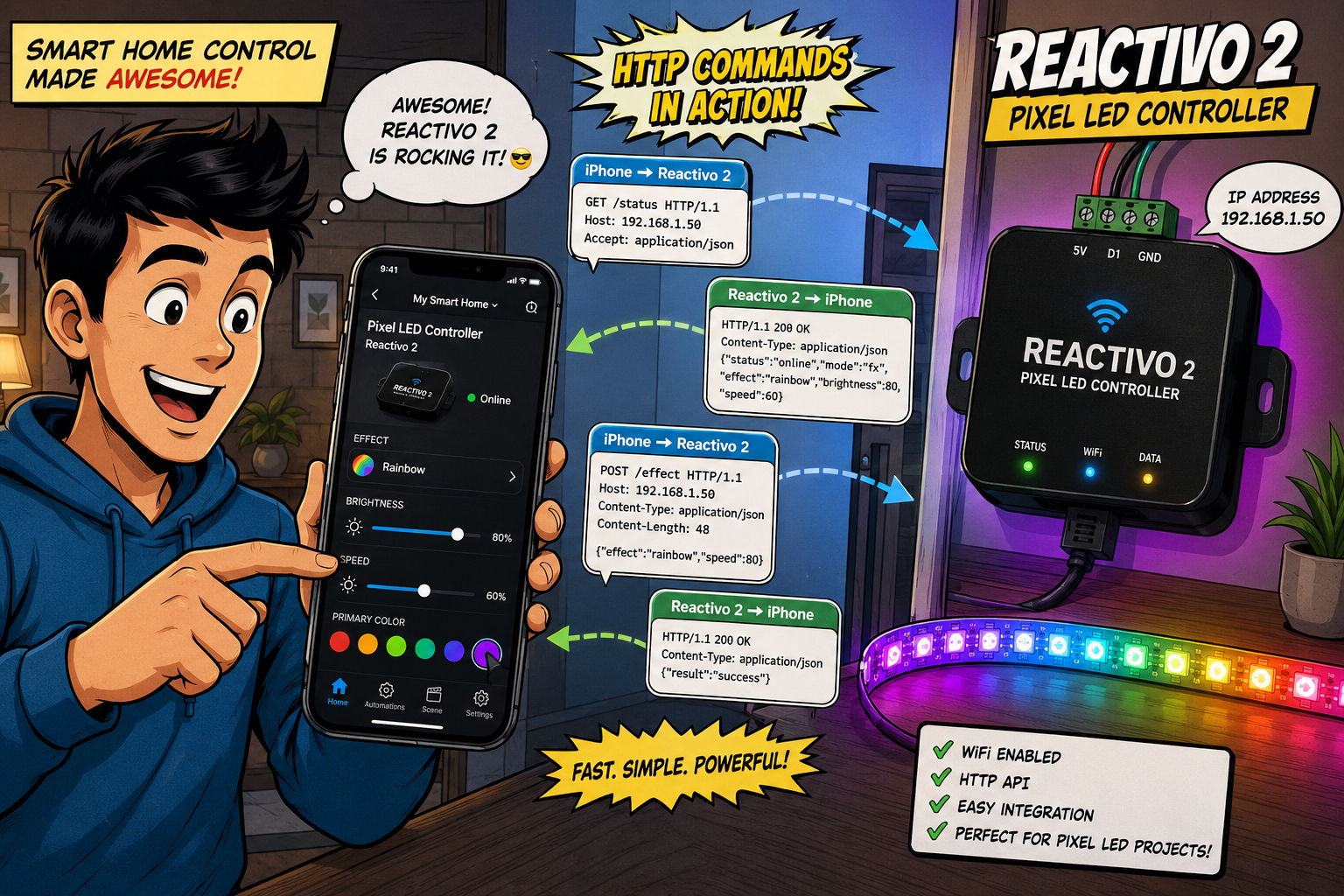
What Can You Actually Control? #
Using the LED Strip Studio ecosystem as a real-world example, here’s what HTTP commands let you trigger on a compatible LED pixel controller like the Reactivo 2, LEC3, or SPI Matrix:
- Animation Selection — switch to a specific scene stored on the SD card (e.g.,
anim=5) - Playback Transport — jump to the next or previous animation, or stop playback entirely (
nextAnim,prevAnim,stopAnim) - Visual Parameters — adjust Brightness, Speed, and Contrast in real time without touching any software
- Recoloring — override the stored animation colors with specific RGBW values on the fly (great for corporate events where you need to force a “Fire” effect to turn all blue)
- Blackout Control — enable or disable the output entirely (
onOff)
What Hardware Do You Need? #
The setup is straightforward:
- Your smart home system — Loxone, Casambi, Amazon Echo/Alexa, Google Home, Control4, Honeywell, or any system that can send HTTP requests
- A local Ethernet or Wi-Fi network — all devices must be connected to the same network
- A compatible pixel LED controller — one that supports HTTP triggers, such as the Reactivo 2, LEC3, or SPI Matrix
No PC. No dedicated lighting console. That’s the whole point.
What Does an HTTP Command Look Like? #
Here’s a simple, real example — triggering animation number 5 stored on a standalone LED controller’s SD card:
http://192.168.1.147/SetAutoplay.html?anim=5Breaking it down:
192.168.1.147— the IP address of your pixel LED controller on the local networkSetAutoplay.html— the specific command to executeanim=5— the parameter (play animation #5)
You can actually paste this directly into Chrome, Firefox, or Edge and it will execute immediately. If you’re using LED Strip Studio controllers, you’ll even get a clean web page back confirming whether the command succeeded or failed.
Practical Use Cases #
HTTP commands are more versatile than most people expect:
Smart Home & Automation Connect to Shelly wall-mounted buttons or Apple Home to trigger “Welcome” or “Relax” scenes with a single tap — no app, no voice, just press and done.
Smartphone Shortcuts Use iOS Shortcuts or Android automation apps to put one-tap buttons right on your phone’s home screen. Bar staff can change the vibe from “happy hour” to “club mode” without touching any hardware.
Industrial & Architectural Integration PLCs (Programmable Logic Controllers) can fire HTTP commands based on building management system events — like triggering a lobby lighting scene the moment occupancy sensors detect people entering.
Custom Web Dashboards Build a simple branded HTML page for a client with just three big buttons: “Day Mode,” “Evening Mode,” and “Party Mode.” No training required. Anyone can use it.
Where to Find All Supported Commands #
The full list of HTTP commands supported by LED Strip Studio controllers is documented on the official wiki:
HTTP Triggers for LEC3 / SPI Matrix / Reactivo →
Frequently Asked Questions #
Do I need a computer running all the time to use HTTP commands?
No — that’s one of the main advantages. HTTP commands are sent directly to the pixel LED controller over your local network. Once your smart home system (Loxone, Control4, Alexa routine, etc.) is configured to send the command, the controller handles everything on its own. No PC, no LED Strip Studio software running in the background.
Which pixel LED controllers support HTTP commands?
Within the LED Strip Studio ecosystem, the Reactivo 2, LEC3, and SPI Matrix all support HTTP triggers. Check the product specifications for any controller you’re considering — look for “HTTP trigger” or “HTTP API” support in the feature list.
How does my smart home system know which IP address to use?
Each controller gets an IP address when it connects to your local network — either assigned automatically by your router (DHCP) or set manually as a static IP. For reliable automation, it’s best to assign a static IP address to each controller so the address never changes and your HTTP commands always reach the right device.
Can I test an HTTP command without any smart home system?
Yes. Just open any web browser — Chrome, Firefox, or Edge — and type the full command into the address bar (e.g., http://192.168.1.147/SetAutoplay.html?anim=5). If the controller is on your network, it will execute the command and return a confirmation page. This is the easiest way to verify your setup before wiring it into your smart home.
Can I control color and brightness, not just switch animations?
Absolutely. HTTP commands support real-time control of Brightness, Speed, and Contrast, as well as full RGBW color override. This means you can force any stored animation to play in a completely different color — useful when you need the same scene to match different event branding without creating new content.
What's the difference between HTTP commands and using the mobile app?
The LSS Remote mobile app is great for manual, hands-on control — you open it, pick a scene, adjust settings. HTTP commands are for automated or hands-free control: triggered by a button press, a schedule, a sensor, or a voice assistant. Both talk to the same addressable LED controller over the network; the difference is who initiates the command and when.