
A COB LED strip (Chip on Board) is a major step forward from the traditional dotted look of standard SMD LED strips. Instead of placing individual LED packages at set intervals, COB technology mounts a dense array of tiny LED chips directly onto the substrate and covers them with a phosphor layer. The result is a continuous, unbroken line of light — no visible gaps, no hot spots.
If you’ve ever looked directly at a standard LED strip and seen a row of individual bright dots instead of smooth light, COB strips exist to solve exactly that problem.
What Types of COB LED Strips Are Available? #
COB technology covers both analog and digital (pixel) formats, so there’s a version for almost every application.
Analog COB strips work like any other analog LED strip — the whole length behaves as a single unit. You can dim it, change its color, but every part of the strip does the same thing at the same time. These come in single-color, tunable white (CCT), RGB, and RGBW configurations. They’re the go-to for architectural accents where smooth, even light is the goal.
Digital (addressable) COB strips are individually controllable pixels in a COB format. Each section of the strip can display a different color or brightness independently, enabling animations, chases, and effects — all while maintaining that seamless, dot-free appearance. Professional digital COB strips are available at around 20 pixels per meter, giving you pixel animation with none of the visible dot structure of a standard addressable LED strip.
How Do You Control an Analog COB Strip? #
Analog COB strips are controlled through a DMX LED dimmer — the same category of devices used with standard analog strips.
Controllers like the Lady Dimmer (4-channel) or the Mr. Dimmer (with a built-in 320W power supply) sit between your DMX controller and the strip. They receive a DMX512 signal and use Pulse Width Modulation (PWM) to dim each channel independently. PWM pulses the power on and off at frequencies the eye can’t track, producing a smooth, steady dimmed output.
For TV studio LED lighting and any environment where cameras are involved, use a professional dimmer that runs at a high PWM frequency. Lower-frequency dimmers will produce visible flicker in video footage.
How Do You Control a Digital COB Strip? #
Digital COB strips need a pixel LED controller that speaks the SPI protocol — the same controllers used for any other SPI addressable LED strip.
Professional controllers like the LED Strip Studio LEC3 or SPI Matrix translate data from your lighting software into the specific IC language the strip understands. Those controllers connect to your network and receive pixel data via Art-Net or sACN from software platforms like LED Strip Studio software, MadMapper, or Resolume Arena. The strip doesn’t know or care that it’s COB internally — it responds to the same SPI protocol as any other addressable digital strip.
For larger installations with many universes of pixels, a LED Ethernet controller or Art-Net pixel controller routes the data efficiently across the network to each strip segment.
Why Does COB Make Such a Difference for Thin Profiles? #
This is one of the most practical advantages of COB strips — and it saves money on aluminum profiles and installation depth.
A standard SMD strip at 60 LEDs per meter needs roughly 3 cm of air gap between the strip and the diffuser to let the individual dots blend into even light. If your aluminum profile is shallower than that, the viewer will see distinct hot spots instead of smooth illumination.
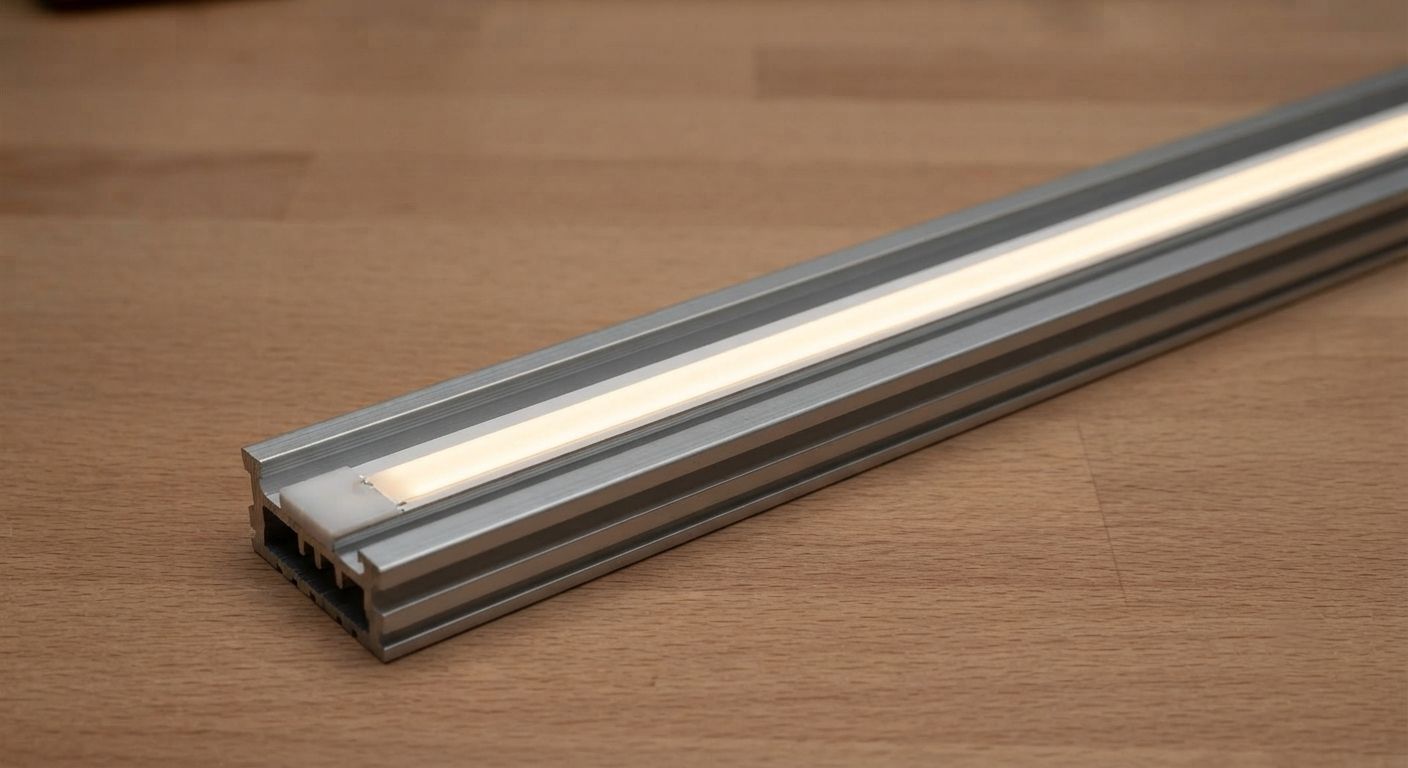
COB strips achieve uniform light with almost no air gap required. The phosphor layer does the blending before the light even exits the strip. That means you can use ultra-thin LED aluminum profiles — the kind that mount flush into walls, furniture, or ceiling reveals — and still get a clean, premium output. For residential LED installation, hotel LED lighting installations, and luxury retail, this is a game-changer.
When Should You Choose COB Over a Standard SMD Strip? #
The decision comes down to one question: will the strip be directly visible to the viewer?
If the strip is hidden in a cove or behind a baffle, a standard 12V addressable LED strip or analog strip with a proper diffuser works perfectly well and costs less. The dots blend naturally when the viewer can’t see the source directly.
If the strip is in a visible channel, a thin profile, or a setting where the light source itself is part of the aesthetic — like a nightclub LED installation, a TV studio LED lighting setup, or a luxury hotel corridor — COB gives you a cleaner, more premium result without requiring extra depth to diffuse the dots away.
LED neon flex achieves a similar seamless look with a silicone extrusion, but COB strips fit into standard aluminum profiles and give you more flexibility in shape and mounting options.
Where Are COB Strips Used in Professional Installations? #
Nightclub and bar LED installations use digital COB strips in visible channels and reveals where animated pixel effects need to look polished rather than dotted. TV studio LED lighting and LED lighting for TV shows use analog COB for backlit panels and set dressing where camera close-ups can’t show hot spots.
Hotel LED lighting installations and restaurant LED installations rely on COB for the premium feel — thin profiles flush-mounted in ceilings, mirror frames, and display cases. Architectural LED lighting projects use COB in external and internal reveals where the strip is partly visible as part of the design.
For compact projects like illuminated food trucks or custom event stage LED lighting scenography, COB strips deliver high-quality output from a very small footprint, reducing wiring complexity in tight builds.
COB vs Standard SMD LED Strip — Which One Do You Need? #
| Feature | Standard SMD Strip | COB LED Strip |
|---|---|---|
| Appearance | Visible individual dots (hot spots) | Seamless, continuous line of light |
| Profile depth needed | ~3 cm for even diffusion | Works in ultra-thin profiles |
| Analog versions | Yes | Yes |
| Pixel/addressable versions | Yes | Yes (typically ~20 px/m) |
| Typical Pixel Pitch | 1.8cm (60 LEDs/m) | 5cm (20 pixels per meter) |
| Best use case | Hidden coves, indirect lighting | Direct view, thin profiles, premium aesthetics |
| Cost | Lower | Higher |
The standard digital RGB LED strip wins on pixel density and cost for hidden applications. COB wins when the strip is visible or profile depth is limited.
What's the difference between a COB LED strip and a standard SMD LED strip?
A standard SMD strip places individual LED packages at set intervals — at 60 LEDs per meter you can see each dot, especially when the strip is close to a diffuser or directly visible. A COB strip mounts a dense array of tiny chips directly on the board under a phosphor layer, producing a continuous, seamless line of light with no visible gaps. COB strips work well in thin profiles where standard strips would show hot spots. For hidden cove lighting, SMD strips perform just as well and cost less.
Can COB LED strips be used as addressable pixel strips?
Yes — digital COB strips are individually addressable, just like any other SPI addressable LED strip. They respond to the same SPI protocol and work with the same pixel LED controllers (LEC3, SPI Matrix, Advatek, etc.) and software (LED Strip Studio, Madrix, MadMapper, Resolume). The typical density is around 20 pixels per meter, which is lower than a standard 60 LED/m digital strip, but you get pixel animation with a fully seamless, dot-free appearance.
Do COB LED strips need a special aluminum profile?
No — that’s actually one of their advantages. Standard SMD strips need about 3 cm of depth between the LEDs and the diffuser to blend the individual dots into even light. COB strips produce uniform light right at the surface, so they work with ultra-thin LED aluminum profiles that would show hot spots with a regular strip. If you’re fitting lights into shallow wall reveals, furniture, or ceiling slots, COB is often the better technical choice.
How do I control a COB strip with DMX?
For analog COB strips, a DMX LED dimmer like the Lady Dimmer or Mr. Dimmer sits between your DMX controller and the strip. It receives a DMX512 signal and uses PWM to control brightness and color per channel. For digital COB strips, you use a standard SPI LED controller (like the LEC3 or SPI Matrix) connected to your Art-Net or sACN network — the same setup as any other addressable strip. The COB format doesn’t change the control method.
Are COB LED strips good for TV studios or cameras?
Yes — they’re an excellent choice for camera environments. The seamless surface eliminates the dot-pattern that can strobe or create moiré patterns when filmed. For analog COB, make sure your DMX dimmer runs at a high PWM frequency (2000 Hz or higher) to avoid flicker on camera. Digital COB strips typically run at 2000 Hz or above as well. The combination of dot-free appearance and flicker-free dimming makes COB a strong pick for TV studio LED lighting and LED lighting for TV shows.
What's the difference between a COB strip and LED neon flex?
Both produce a seamless, continuous line of light — but they’re built differently and mount differently. LED neon flex uses a silicone extrusion that shapes and diffuses light inside a flexible tube, giving it a rounded neon-like profile. COB strips are flat tape that mount inside standard LED aluminum profiles with a flat diffuser cover. Neon flex is better for freeform curves and outdoor signage. COB is more versatile for recessed architectural installations, furniture, and anywhere that needs a flat, thin profile. Both are great options; the choice depends on the shape and mount requirements of your project.