

Project Quick Facts
A car isn’t exactly the first place you’d think to install a professional LED pixel display. There’s barely any headroom, power is limited, and a TV crew needs to film inside it all day long. We’d already done this once for the first season of CashCab — and it worked well enough that the production team came back and asked us to go further for the second run.
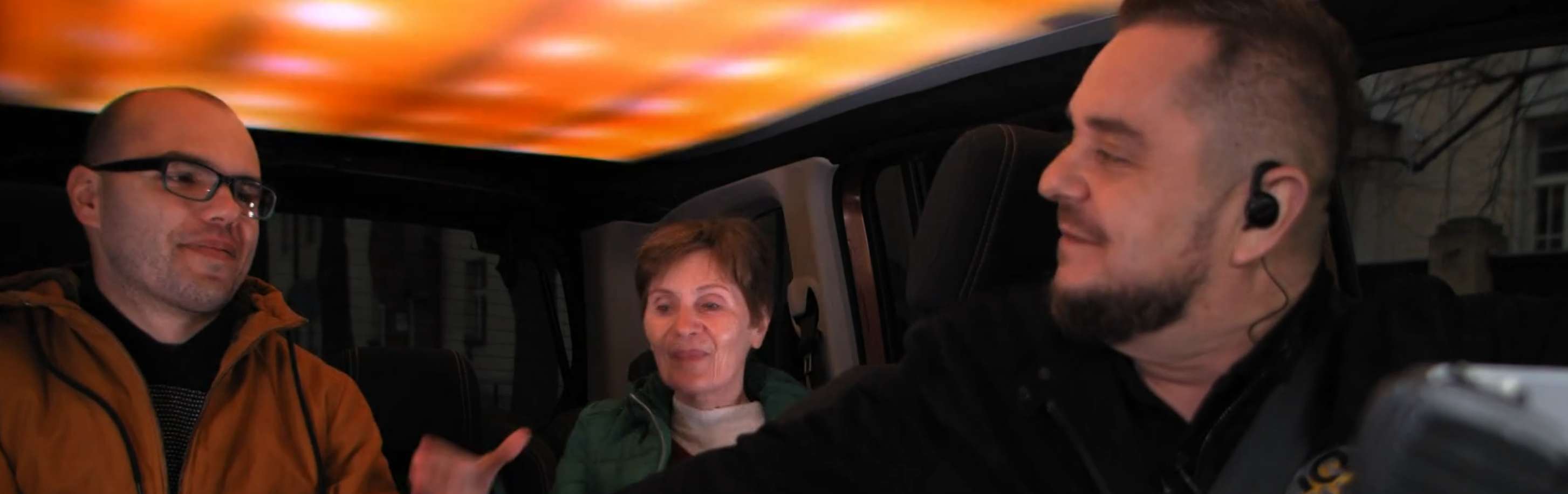
CashCab is a TV game show where contestants answer quiz questions while riding in a taxi. Get the answer right and you win money. Get it wrong and you’re walking. The format is simple, but the production team wanted the car’s interior to do more than just sit there. They wanted the ceiling to react — green for a correct answer, red for a wrong one, plus dynamic intro effects and color animations to keep the energy up during filming.
Fitting a TV Studio Into a Car Roof #
The approach for this season was different from before. Instead of covering part of the ceiling, the client wanted a full LED ceiling installation using our addressable LED pixel strips across the entire roof of the Peugeot.
To do that, the upholstery liner had to come out completely. We then laid rows of digital LED strips directly onto the metal roof surface, spaced about 2 cm apart. On its own, this would look terrible on camera — individual pixels are clearly visible, and the curved shape of the roof would create all kinds of hotspots.
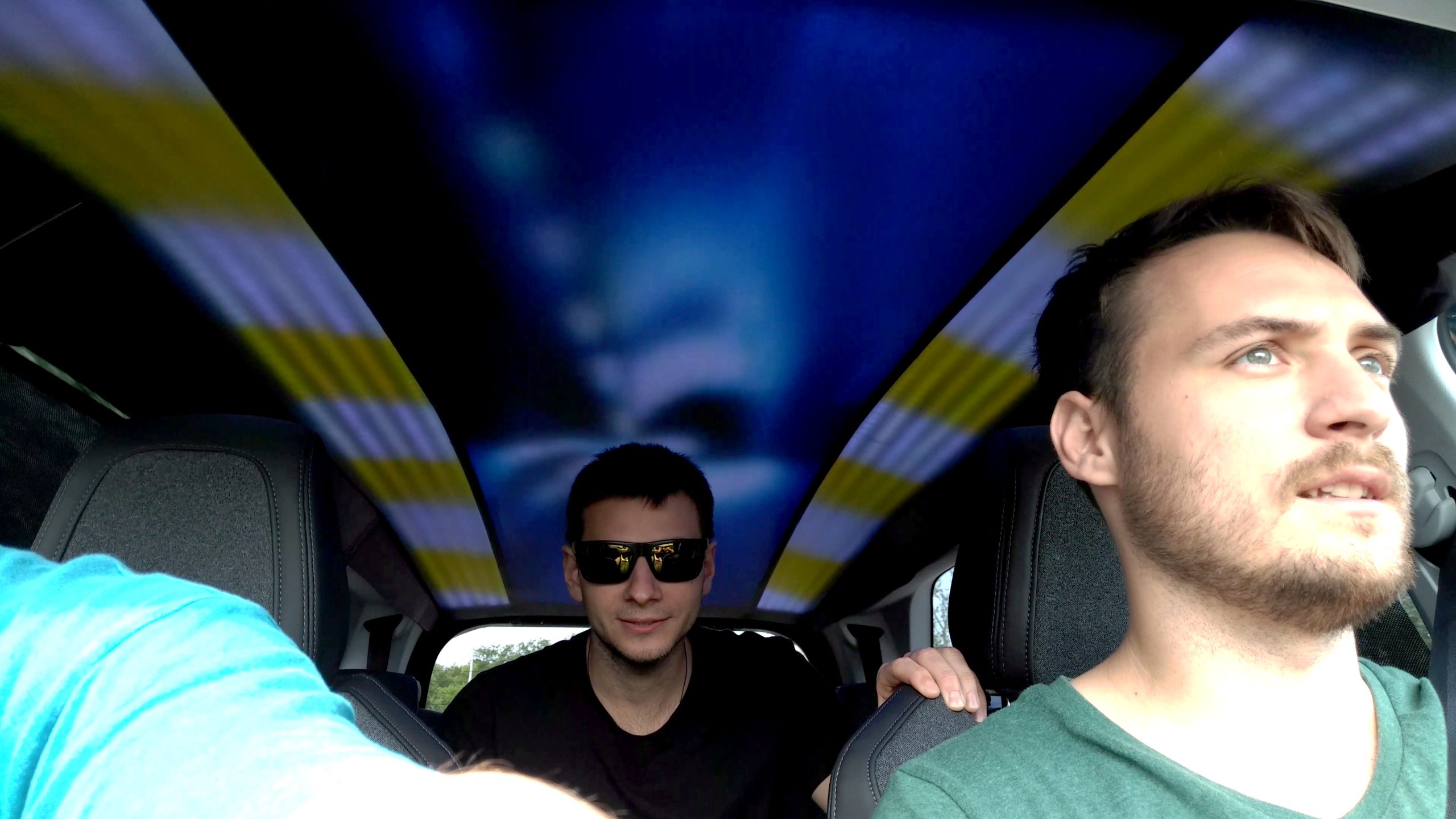
The solution was a projection screen material used as a diffuser layer stretched over the strips. This is the same approach we use for APA102 LED horizon but without the panels. It smooths out the point sources into an even, glowing surface — no visible pixels, no hotspots, just clean diffused color. The curved roof shape actually helped here, since the material could be tensioned across the curve naturally.
The end result looks like a proper LED pixel wall — but built into a car ceiling.
Power Without a Generator #
Running a professional LED installation in a moving vehicle creates a specific problem: where does the power come from? You can’t run a cable out the window, and a generator on set would be absurd.
The solution was a large backup battery — originally spec’d for a heavy-duty truck. We wired it into the car’s alternator so it charged automatically while the engine was running between takes. The battery had more than enough capacity to power the entire LED pixel installation through four to five full episodes of filming per day without needing an external power source.
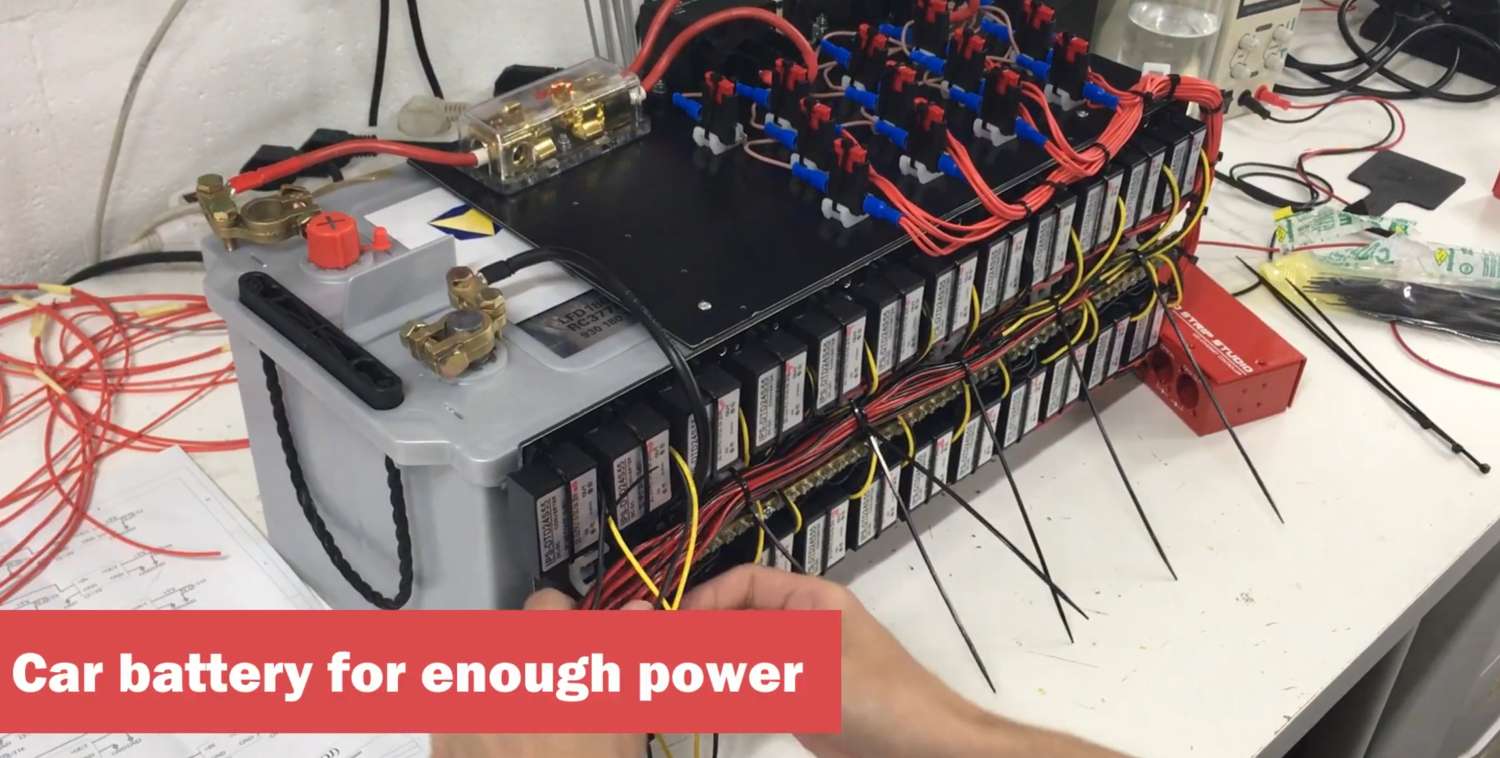
This is worth noting for anyone planning LED lighting for events or shoots in locations without mains power. A properly sized battery system, kept topped up by the vehicle’s alternator, is a clean and reliable alternative to generator power.
Control: Simple Enough for a Driver #
The production had an unusual requirement: the driver and the show host were the same person. That person needed to change LED effects while sitting behind the wheel — no looking away from the road, no digging around for a phone or tablet.
We used LED Strip Studio software running on a small laptop tucked out of sight. For triggering effects, we chose a compact wireless Bluetooth numeric keypad mounted directly on the dashboard near the driver. Each key mapped to a different effect: green pulse for a correct answer, red flash for a wrong one, plus the intro sequence and a handful of ambient color animations.
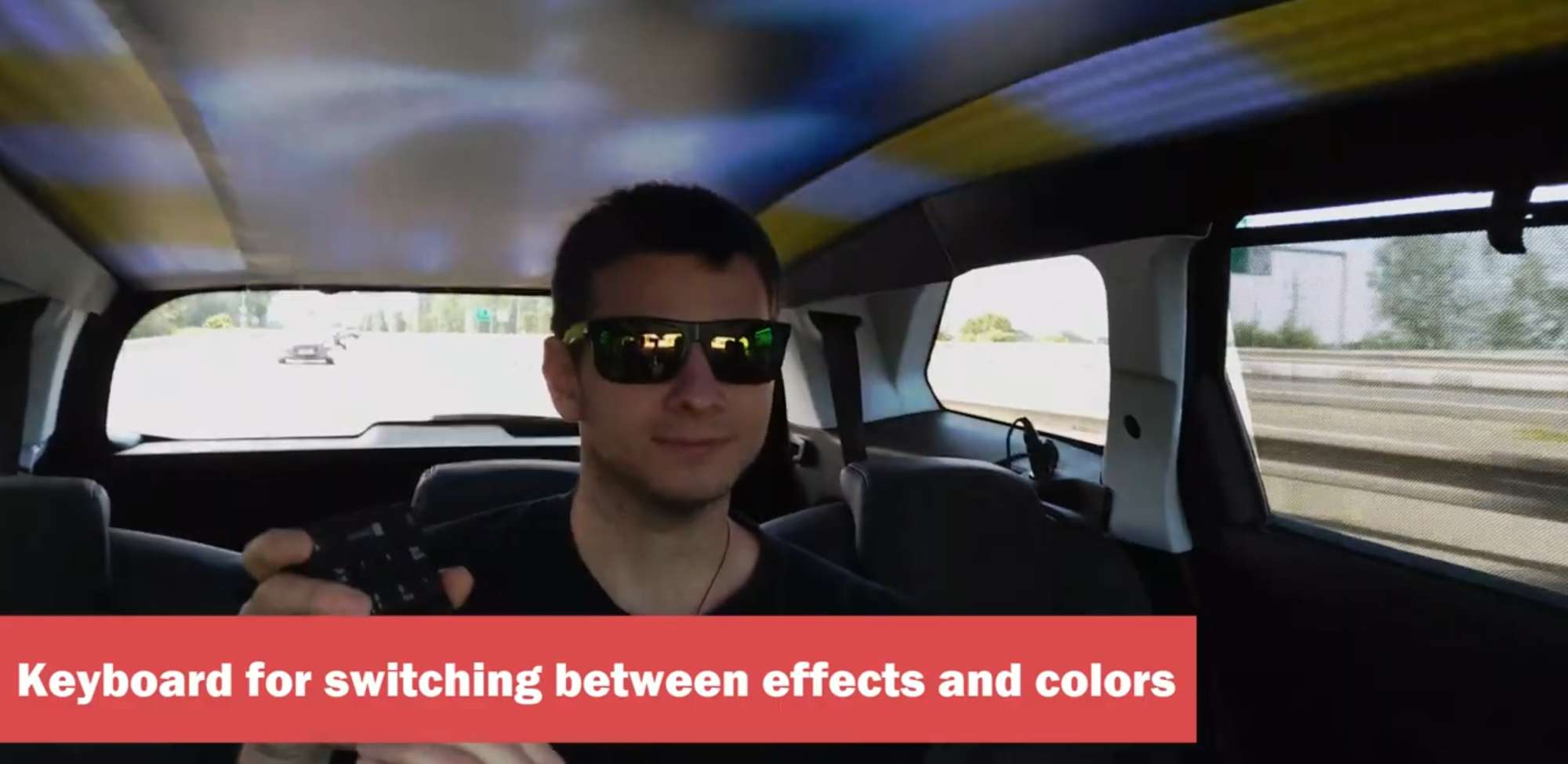
One tap. That’s all it took to change the whole atmosphere inside the car. The driver could do it without thinking, even mid-drive.
This project also directly influenced LED Strip Studio software development — keyboard shortcut control of effects wasn’t available before CashCab. The production requirement pushed us to build it, and it’s been in the software ever since.
The Outcome #
CashCab was one of the most technically interesting installations we’ve done. The constraints were tight: limited space, no mains power, a moving vehicle, and a one-person operation where simplicity wasn’t optional. Every part of the system had to be thought through from scratch.
The result was a fully functional broadcast-quality LED lighting for TV shows setup inside a standard production car. It filmed reliably across multiple seasons’ worth of episodes, and the driver-operated control worked exactly as intended — no crew member needed, no extra equipment on set.
It’s a good example of what pixel LED installation can look like when the brief is genuinely unusual. The technology isn’t just for stages and studios. If there’s a surface and a power source, there’s a way to make it work.
Frequently Asked Questions #
How do you power a professional LED installation in a car without mains electricity?
The most reliable approach is a large-capacity auxiliary battery — in the CashCab build, we used one originally rated for a heavy truck. Wired into the car’s alternator, it charges while the engine runs and stores enough capacity to power the LED pixel installation through a full day of filming (four to five episodes). For permanent vehicle builds or event setups without mains access, this is a much cleaner solution than a generator.
How do you make LED pixel strips look smooth on camera without visible individual pixels?
The standard technique is diffusion — a translucent material layer placed over the addressable LED strips that spreads the point sources into an even glow. Projection screen material works very well for this. It’s the same approach used for backlit panels in TV set construction. The key is getting the gap between the strip and the diffuser right: too close and you still see hotspots; too far and you lose brightness. For the CashCab car ceiling, the curved roof shape helped tension the diffuser material naturally across the surface.
Can LED Strip Studio software be triggered with a keyboard or numeric keypad?
Yes — and CashCab is actually the project that drove this feature into the software. Before this installation, keyboard shortcut triggering wasn’t available. The production requirement (a driver who needed one-hand effect control) pushed us to build it. LED Strip Studio software now supports assigning keyboard shortcuts to individual effects, scenes, and sequences. A wireless Bluetooth numeric keypad works perfectly as a compact, mappable trigger panel for live TV, events, or installations where touchscreen or mouse control isn’t practical.
How do you plan LED lighting for a TV game show set?
The key is understanding how the show uses lighting as part of the content — not just as atmosphere. In CashCab’s case, LED color was a direct storytelling signal: green = correct, red = wrong. That means the LED pixel controller setup needs to prioritize fast, reliable effect switching with minimal UI friction. For any TV show integration, work through every production moment where lighting changes, map those to specific triggers, and test the full workflow before shoot day. Use LED Strip Studio software or a similar LED show control software that lets you pre-program scenes and switch them with a single keystroke or MIDI note.
What is the difference between digital and analog LED strips for broadcast use?
Analog LED strips output a single color across the entire strip length — useful for simple backlighting but with no per-pixel control. Addressable LED pixel strips (digital) let you control each pixel individually, which means you can display color gradients, animations, and mapped video content. For broadcast use where the LED surface needs to react to show events or display dynamic effects, digital RGB LED strips are the only practical choice. The diffusion layer that’s almost always required in broadcast installs also helps hide the fact that you’re using pixel strips rather than a smooth panel.
Can LED pixel effects be synchronized to music or triggered by show events in real time?
Yes. LED Strip Studio software supports multiple trigger methods: keyboard shortcuts, MIDI, OSC, HTTP, and Bluetooth input devices. For a live production like CashCab, a Bluetooth numeric keypad gave the host/driver instant one-tap control over every effect state. For music-synchronized installations, the software includes audio reactivity and beat detection. For more complex show control integration, OSC or HTTP triggers allow external show control systems — lighting consoles, broadcast automation systems, or custom apps — to fire specific LED scenes on cue.