

Project Quick Facts
Lighting the X Factor Finale Stage #
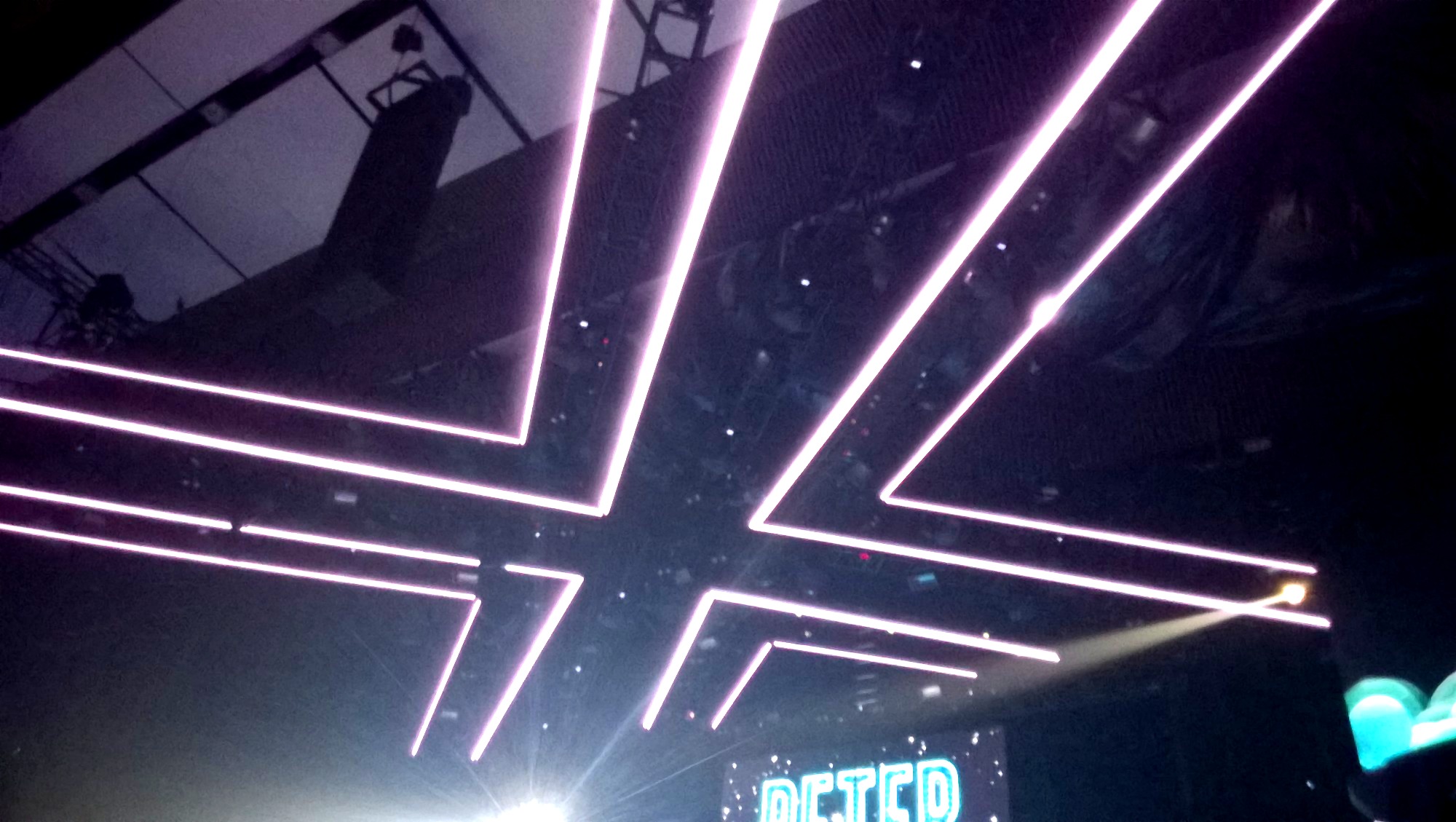
X Factor is one of the most popular TV talent shows around — and every finale demands a stage that matches that scale. We had the chance to light the finale evenings, and the scope was significant: a pixel LED floor covering the entire performance area and a custom X-shaped ceiling rig built specifically for the show.
Big productions like this are won or lost in the planning phase. Getting the planning right meant the actual installation went smoothly, even at this size.
Planning: Getting It Right Before You Arrive #
Every large project starts with planning, and for a production like X Factor, careful planning is what keeps the installation from eating up all your available stage time. Two separate systems needed to be designed and coordinated before anything was touched on set:
- The floor: approximately 500 meters of LED pixel tubes laid across the stage surface
- The ceiling: a custom X shape made from specialized black arc bars — predecessors to our current ProfiLED bars — rigged above the performance space
For custom-fabricated stage elements like the ceiling bars, planning is where you define the geometry, calculate pixel counts, design the power distribution, and pre-map the segments so setup on the day is fast. Time on a live TV production set is never in surplus.
The Floor: Mixing Digital and Analog LED #
The floor installation used a mix of pixel and analog LED tubes — and that was a deliberate design decision, not a cost compromise.
The outer edges of the X shape on the floor used analog LED strips. Analog strips produce a clean, continuous line of light with no visible pixel structure. For the perimeter of the stage — where the shape itself needed to read clearly to both the live audience and broadcast cameras — this gave a sharper, cleaner edge than digital strips would.
The inner surface of the X used digital pixel LED tubes — fully addressable LED strips capable of displaying video and animated effects. This is the area where the LED pixel mapping work paid off: the lighting designer had a live video-capable surface covering the main performance area, driven directly from the media server through LED Strip Studio software.
The result was two independent zones for the lighting designer:
- DMX-controlled analog edges that could be set to any color as a static accent
- A full digital LED video surface in the center, receiving live media server content
The Ceiling: Custom LED Bars in an X Shape #
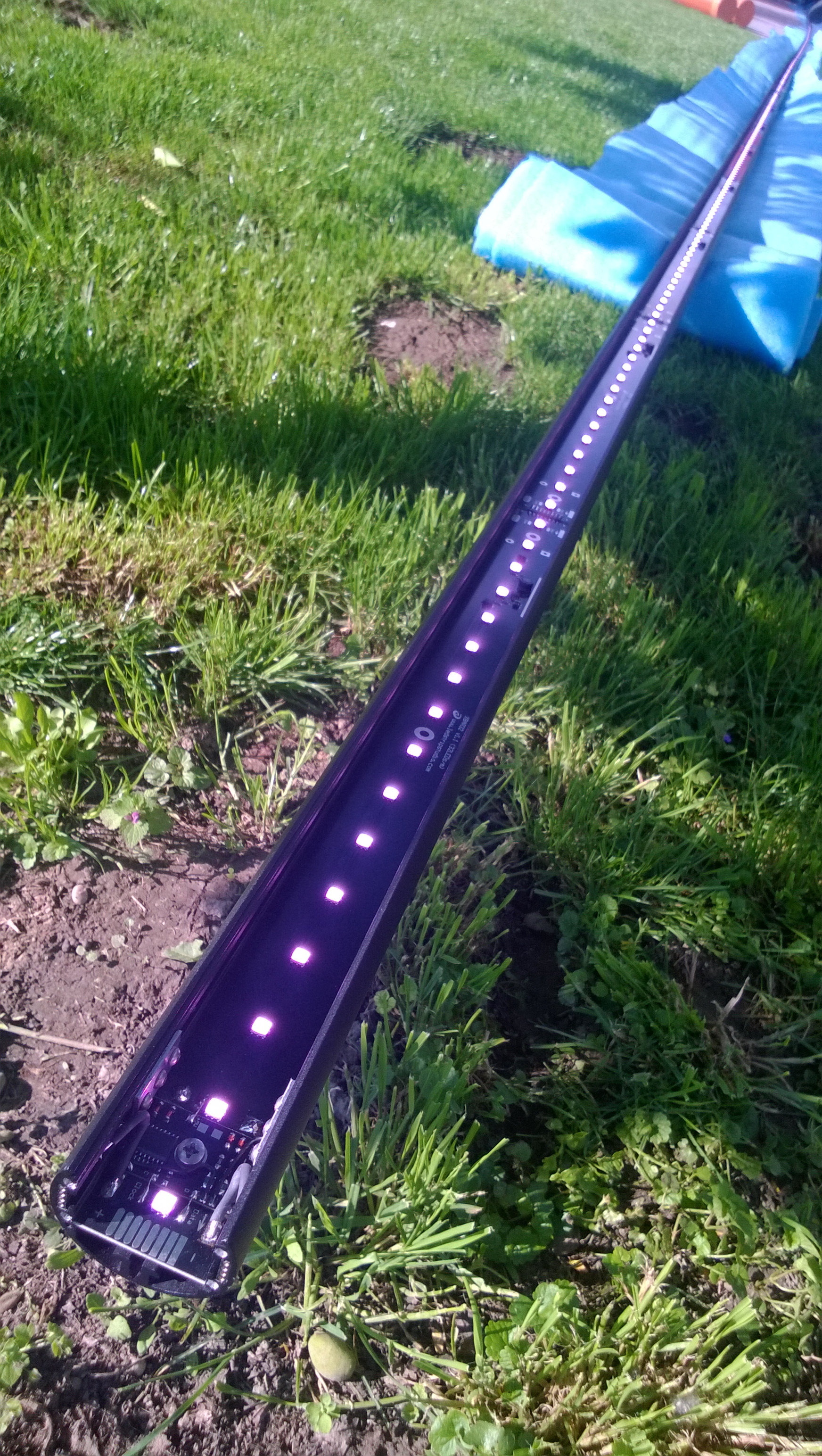
The ceiling rig was built from custom black arc bars — each one a precursor to what would eventually become the ProfiLED bar product. They were fabricated specifically for this project, designed to be easier to rig and handle than running raw LED strips into custom structures on site.
The bars formed a large X shape above the stage — visually locking the ceiling into the X Factor brand identity and creating a signature overhead element visible from every camera angle. Pixel effects on the ceiling bars complemented whatever was happening on the floor below.
Pixel Mapping: Fast When the Tools Are Right #
Mapping a large installation like this — with the irregular X floor layout and the overhead bar arrangement — can be a slow process if the software works against you. With LED Strip Studio, mapping is done by adding each physical segment, setting the pixel count, and positioning it on the canvas. The software highlights each segment in a different color, showing exactly how many pixels it contains and how it maps to the overall image.
The architectural plans from the production company served as the background reference layer in the software, so every segment could be placed with accurate proportions. The mapping process came down to a single task: assigning the correct pixel count to each segment and confirming the position against the plans. That is fast to do and easy to verify in real time.
Media Server Control: A Familiar Layer for the LD #
The lighting designer ran a media server for the full production. The LED Strip Studio software connected to that server’s output, so the pixel floor became just another layer in the existing workflow. Standard effects, transitions, and video content from the media server mapped directly to the pixel LED floor — no separate control interface, no additional complexity for the operator.
This is the workflow that works on major TV productions: the LED pixel mapping software handles the translation between the video output and the physical pixel layout, and the lighting designer stays in their console without changing how they work.
What X Factor Shows About LED Stage Design #
The visual connection between the X logo, the stage floor shape, and the ceiling rig made the whole production feel cohesive. That is the real argument for LED pixel stage design on major TV shows: when the LED elements are designed as part of the stage concept rather than added afterward, the result looks intentional and broadcast-ready. Concert stage LED lighting at this scale needs that kind of integration from the start.
Frequently Asked Questions #
What is the difference between digital and analog LED strips on a stage floor?
Digital (addressable) LED strips let you address each pixel individually, so you can display video content, animations, and complex effects. They are ideal for the main performance surface where you want moving visuals. Analog LED strips produce a uniform, continuous line of light — no visible pixel structure, no per-pixel control, just a clean edge. On this X Factor floor, analog strips ran the outer edges of the X shape for a sharp, clean perimeter, while digital pixel tubes covered the inner surface for video and effects. Using both gives the lighting designer two independent tools at the same time.
How do you create pixel mapping for a complex stage floor shape?
In LED Strip Studio, you start by importing the architectural plan of the stage as a background layer. Then you add each physical segment — each run of addressable LED strip — set its pixel count, and position it on the canvas to match the real layout. The software highlights each segment in a different color and shows its pixel count directly, so you can verify the mapping visually as you work. For an irregular shape like a large X, this approach turns what could be many hours of work into a relatively quick process, because you are always looking at a live preview of how the image will fall on the physical structure.
How do you connect a pixel LED floor to a media server?
The most common method is to feed a video output from the media server into a capture card — in our installations we use the Intensity PRO HDMI grabber. The LED Strip Studio software reads that live video signal and maps it in real time to the pixel layout of the floor. From the lighting designer’s side, the pixel floor is just another output layer in the media server. They can send any effect, video clip, or live feed to the floor from the same console they are already using, without learning separate pixel LED software.
How do you control analog and digital LED strips independently on the same stage?
They run on separate control paths. Analog LED strips are controlled over DMX — standard DMX512 channels drive the color and intensity of each analog zone. Digital pixel strips receive SPI data from a pixel LED controller running the pixel map. Both signals can originate from the same control desk: DMX goes directly to the analog zones, while the media server feeds the pixel system through the HDMI grabber and LED Strip Studio. The lighting designer can cue both systems simultaneously from a single grandMA or similar console.
What were the predecessor bars to ProfiLED used on the X Factor ceiling?
For the X Factor ceiling rig, we fabricated custom black arc bars — one-meter rigid units with addressable LED pixel strips built in, designed specifically for stage rigging. They were the early version of what later became the ProfiLED bar product: a self-contained, rig-ready pixel bar with simple daisy-chain power and data. The key improvement in the later ProfiLED design was the standardized M12 connector system, which made field assembly and replacement much faster than the custom connectors used on these earlier bars.
How do you do LED pixel mapping for a TV game show or talent show?
Start with accurate CAD or architectural drawings of the stage — they become your reference layer in the LED pixel mapping software. Map every physical LED segment by position and pixel count, working from the drawings so proportions are correct. Plan the control zones based on what the lighting designer needs: typically one zone per independently controlled region, with a clear separation between any analog DMX zones and the digital pixel surfaces. Build in time for a full rehearsal run so the LD can test every cue before the live broadcast. The mapping itself is straightforward in LED Strip Studio; the time investment is in accurate measurement and documentation before you start.